
Intelligent Call Routing for Treatment Centers: How to Get Admissions Calls to the Right Team
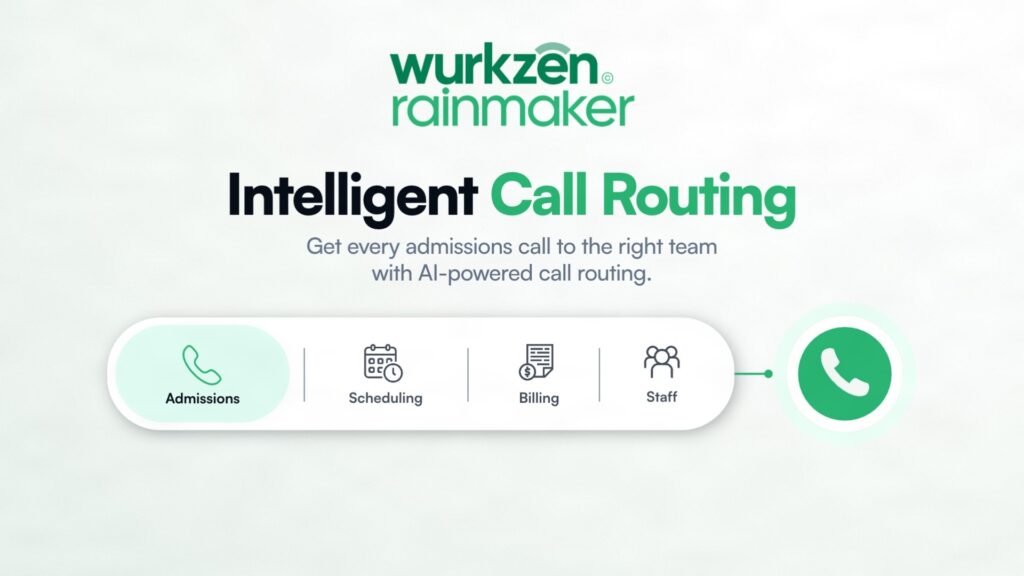
Intelligent call routing helps treatment centers move incoming calls to the right person or workflow based on what the caller needs.
Instead of sending every call to the same phone queue, an AI-powered routing workflow can identify the reason for the call, collect approved information, determine the appropriate next step, and transfer or escalate the conversation when needed.
For admissions teams, that can mean fewer unnecessary handoffs, faster responses to qualified inquiries, and a clearer path from the first call to the appropriate member of the team.
Key Takeaways
Intelligent call routing uses caller information and predefined rules to determine the appropriate destination for a call.
AI call triage can help separate admissions inquiries from routine administrative calls and other requests.
Qualified lead transfer can connect high-priority prospects with the appropriate admissions representative.
AI-to-human handoff should be built into the workflow, not treated as a failure of automation.
Treatment centers should define clear escalation rules for sensitive, clinical, urgent, or out-of-scope conversations.
The best routing system connects phone conversations with the CRM, scheduling system, alerts, and other admissions workflows.
What Is Intelligent Call Routing?
Intelligent call routing is a system that determines where an incoming call should go based on predefined criteria.
Traditional routing might send every caller to the same main line, department, or rotating queue.
An intelligent system can use information collected during the conversation to make a more specific decision.
For a treatment center, the workflow could distinguish between:
A new admissions inquiry
An existing patient calling about an appointment
A family member seeking approved information
A referral source
A billing or administrative question
A person requesting a specific staff member
A conversation requiring urgent human attention
The objective is not simply to route calls faster. It is to route them more intelligently.
Why Call Routing Matters for Treatment Center Admissions
An admissions call can be time-sensitive.
Someone may be calling after researching several treatment options and deciding they are ready to speak with someone. If the call reaches the wrong department, goes into a generic queue, or requires several transfers, the caller may disengage.
That creates unnecessary friction at the beginning of the admissions process.
Intelligent routing can reduce that friction by identifying the purpose of the call before deciding where it should go.
What Is AI Call Triage?
AI call triage is the process of using AI to understand the basic reason for an incoming call and determine the appropriate next action.
The AI does not need to perform a clinical assessment to perform useful triage.
For example, an AI receptionist could ask:
“How can I help you today?”
The caller might say they are looking for information about residential treatment.
That response can trigger an admissions workflow.
Another caller might say they are trying to reach billing.
That call can follow a different route.
The important distinction is that AI triage should determine the operational path, not make unsupported clinical judgments.
How an Intelligent Routing Workflow Works
A treatment center can structure intelligent call routing around five stages.
1. Answer the call
The AI answers immediately and identifies itself according to the center’s approved call experience.
The caller should not have to navigate a long phone tree before reaching the right workflow.
2. Identify the reason for the call
The system asks a small number of focused questions.
The goal is to determine what the caller needs, not conduct an unnecessary intake.
3. Apply routing rules
The AI compares the caller’s responses with predefined routing criteria.
For example:
New admissions inquiry → Admissions team
Existing appointment question → Scheduling or appropriate staff
Billing question → Billing team
Request for a specific representative → Appropriate person or department
Sensitive or out-of-scope conversation → Human escalation
4. Transfer or create the next action
If a live transfer is appropriate, the AI connects the caller to the right person.
If no one is available, the system can follow the center’s approved fallback process, such as creating a callback task or sending a staff alert.
5. Record the interaction
The outcome should be visible in the appropriate system.
Depending on the implementation, this could include CRM activity, call notes, transcripts, alerts, or other operational records.
Intelligent Call Routing vs. Traditional IVR
Traditional interactive voice response systems can still be useful, particularly for simple routing.
The difference is how the caller interacts with the system.
Traditional IVR | Intelligent call routing |
|---|---|
Menu-driven | Conversation-driven |
“Press 1 for admissions” | Caller explains why they are calling |
Fixed routing tree | Rule-based routing based on responses |
Often requires multiple menu steps | Can reduce unnecessary steps |
Limited context before transfer | Can provide context before handoff |
Caller navigates the system | System helps identify the destination |
Neither approach is appropriate for every situation.
The advantage of intelligent routing is that it can create more context before the transfer while reducing unnecessary menu navigation.
What Is a Qualified Lead Transfer?
A qualified lead transfer occurs when a caller who meets predefined admissions criteria is connected directly with an appropriate staff member.
The qualification rules should be specific to the treatment center.
For example, the workflow might identify that the caller is seeking a program offered by the center and is interested in speaking with admissions.
The AI can then transfer the call rather than keeping the person in an automated workflow.
The transfer should not be based on an AI-generated clinical judgment.
It should be based on approved operational criteria.
Why Context Before the Transfer Matters
A transfer is more useful when the receiving staff member knows why the caller is being transferred.
Without context:
Caller → AI → Staff → “Can you tell me why you’re calling?”
With a well-designed handoff:
Caller → AI triage → Admissions representative receives relevant approved context → Conversation continues
That can reduce repetition for the caller and help the staff member start the conversation more efficiently.
Depending on the system, the context might be passed through CRM activity, an internal alert, a short summary, or another approved method.
Treatment centers should determine what information is appropriate to share during the handoff.
What Is an AI-to-Human Handoff?
An AI-to-human handoff is the point where an automated conversation transitions to a staff member.
This is not a sign that the AI workflow failed.
In a well-designed treatment center workflow, handoff is an intentional part of the system.
The AI handles the predictable parts.
The human handles the parts that require judgment, expertise, empathy, or an exception to the normal process.
When Should a Treatment Center Escalate to a Human?
Clear escalation rules should be defined before the AI goes live.
Examples include:
The caller asks to speak with a person
The caller asks a question outside the approved knowledge base
The conversation becomes clinical
The caller raises a sensitive issue
The caller requires an exception
The AI cannot confidently determine the appropriate routing path
The situation requires professional judgment
The center’s policy requires human involvement
For crisis or safety-related situations, the treatment center should have its own approved escalation protocol and ensure the AI follows that protocol.
Real-Time Call Escalation Can Protect the Admissions Workflow
An AI system should not keep a caller in automation simply because it technically can.
Real-time call escalation allows the system to recognize when the appropriate next step is human involvement.
For example:
Inbound call → AI triage → Admissions inquiry identified → Qualified lead → Live transfer
Or:
Inbound call → AI triage → Sensitive question → Human escalation
This creates a workflow where automation and human involvement work together rather than competing.
Routing After Hours
Admissions calls do not always arrive during convenient office hours.
A treatment center may receive an inquiry when the admissions team is busy, unavailable, or operating with reduced coverage.
An intelligent routing workflow can use different rules based on availability.
During staffed hours:
Qualified admissions inquiry → Live transfer
After hours:
Qualified admissions inquiry → AI handles approved workflow → On-call alert or scheduled callback
The exact process should reflect the treatment center’s staffing model and escalation procedures.
The key is that after-hours calls should have a defined destination rather than simply reaching voicemail.
Routing Existing Contacts Differently From New Inquiries
Not every caller should enter the same admissions workflow.
If the system can identify an existing contact using approved information, it may be able to route the call differently.
For example:
New inquiry → Admissions
Existing scheduled assessment → Scheduling or admissions
Former inquiry → Reactivation workflow
Existing patient → Appropriate existing-patient channel
Referral partner → Referral workflow
This can prevent the admissions team from becoming the default destination for every call.
Enterprise Call Routing for Multi-Location Treatment Centers
Larger treatment organizations may have multiple facilities, programs, or admissions teams.
Enterprise call routing becomes more complex because the system may need to consider:
Location
Program type
Availability
Call source
Existing contact status
Admissions team
Business hours
Geographic service area
Approved routing rules
For example, a caller interested in a specific program may need to reach the admissions team responsible for that program rather than a centralized general line.
The routing logic should be documented and maintained as part of the organization’s operating workflow.
How to Build an Intelligent Call Routing Strategy
Step 1: List your major call types
Start with the calls your center receives most often.
Group them into categories such as admissions, scheduling, existing patient needs, billing, referrals, and general information.
Step 2: Define the destination for each category
Every category should have a clear destination.
If there is no available person, define the fallback action.
Step 3: Define qualification criteria
For admissions calls, establish what information is needed to identify an appropriate routing path.
Keep the criteria operational and within the AI’s approved scope.
Step 4: Define escalation triggers
Document exactly when the AI should transfer, alert, or create a callback task.
Do not leave escalation to vague instructions such as “transfer important calls.”
Step 5: Connect the workflow to your systems
Where appropriate, connect the routing workflow with the CRM, scheduling platform, contact database, and staff notification tools.
This gives the routing decision a place to go after the call.
Step 6: Test edge cases
Test the situations that break simple routing systems:
Caller changes their request
Caller asks for a person
No staff member is available
Scheduling information is unavailable
Caller asks an out-of-scope question
Caller needs a different location
Caller is already in the CRM
Caller requests no further contact
The workflow should have an answer for each situation.
What Metrics Should Treatment Centers Track?
Call routing should be measured based on operational outcomes.
Useful metrics include:
Percentage of calls answered
Time to first response
Percentage routed to the correct team
Qualified lead transfer rate
Live transfer rate
Human escalation rate
Calls requiring a callback
Missed admissions calls
Appointment scheduling rate
Time from inquiry to staff conversation
These metrics can reveal where calls are getting stuck.
For example, a high human escalation rate may indicate that the AI’s scope is too narrow, while a high transfer failure rate may point to staffing or availability problems.
Where Rainmaker Fits
Rainmaker can support intelligent routing as part of a broader voice AI workflow for treatment centers.
Its inbound Qualifier can respond to new inquiries, ask approved qualification questions, and connect qualified prospects with staff through live transfer.
The Receptionist workflow can handle routine calls and scheduling, while alerts can notify staff when a conversation requires attention.
The broader system can also connect routing with follow-up, appointment confirmation, and reactivation workflows.
That means the routing decision does not have to end when the phone call ends.
A new inquiry can move from inbound response to qualification and transfer. A missed opportunity can enter follow-up. An older inquiry can enter an approved reactivation workflow.
Common Call Routing Mistakes
Sending every call to admissions
Admissions staff should not have to become the default department for every operational question.
Use routing categories to protect their time.
Creating too many routing categories
Overcomplicated routing can be as frustrating as no routing at all.
Start with the categories that materially change the next action.
Routing based on clinical assumptions
AI call triage should not make unsupported clinical judgments.
Keep routing criteria operational and escalate conversations that require professional judgment.
Hiding the human option
Callers should have a clear way to request staff.
Ignoring after-hours routing
An after-hours call needs a defined workflow, especially when the center relies on phone inquiries for admissions.
Failing to pass context
A transfer that forces the caller to repeat everything is not a complete handoff.
Frequently Asked Questions
Intelligent call routing uses caller information, conversation context, and predefined rules to determine where an incoming call should go.
AI call triage uses a short conversation to identify the reason for a call and determine the appropriate workflow, department, or human escalation path.
Yes. An AI system can use predefined qualification criteria to identify appropriate admissions inquiries and transfer them to an available admissions representative when the workflow supports live transfer.
An AI-to-human handoff occurs when an automated conversation is transferred or escalated to a staff member because the caller needs human assistance, professional judgment, or a situation outside the AI's approved scope.
The center should define an after-hours or overflow workflow, such as an on-call alert, callback task, or approved automated follow-up process. The right approach depends on the center's staffing and operational policies.